DuckStation
- 4.3
- Rating
- 1.00M
- Installs
- Free
- Price

 Analysis by App-foxy
DuckStation is the kind of Android arcade game utility that can feel almost magical during the first week. I can take a phone or tablet, open a carefully prepared PlayStation disc image, and revisit a library that otherwise feels tied to older hardware. That immediate convenience is the main attraction, but it is not the whole story. The more important question is whether it remains useful after the novelty of seeing classic games on a modern screen has worn off.
My answer is mostly yes, provided I treat it as an emulator rather than a plug-and-play game collection. Developed by Stenzek, this free app is designed for people who already have legitimate access to the games they want to play and are willing to spend some time organizing files, adjusting controls, and learning what their device handles well. It is listed for Everyone and requires Android 6.0 or later, which makes it accessible to a broad range of phones and tablets, although the experience still depends heavily on the hardware and the particular game.
From an exciting first week to a useful routine
The first few sessions are naturally spent testing everything. I usually begin with a game that I know well, because familiar menus, loading screens, sound effects, and controls make it easier to notice whether the emulator is behaving properly. DuckStation’s appeal comes from turning that test into something more comfortable than simply connecting an old console. A touchscreen can be used when necessary, while a physical controller makes longer sessions feel much closer to the original experience.
You May Also Like

 Blood Strike: 2.5 Anniversary
Blood Strike’s Loadouts Turn Every Drop Into a Tactical Gamble
A close look at Blood Strike’s custom loadouts: how fast access to signature weapons reshapes its battle royale rhythm, rewards preparation, and narrows the gap between fights.

 Pandora - Music & Podcasts
Pandora’s Music Is Easy to Start, but Harder to Recover
Pandora’s strength is its low-effort path from a seed to a station. Its weak spot is how much confidence it asks you to place in connection, setup, and quiet recovery.

 8 Ball Pool
 Is Built on Rivalries, Rematches, and Routine
A close look at the rivalries, rematches, shared routines, and unanswered safety questions that turn a quick pool match into a persistent mobile community.

 Samsung Music
’s Quiet Strength Is Playing What You Already Own
Its reach comes less from spectacle than from dependable access to a personal library. That simplicity is both the app’s strongest retention engine and its ceiling.

 AccuWeather: Weather Radar
AccuWeather Review: A Quick, Clear Forecast for Everyday Decisions
For everyday plans, the best forecast is the one you can understand quickly. AccuWeather makes rain timing, radar, and local conditions easy to act on, with a few trade-offs.

 Hill Climb Racing
Why Hill Climb Racing Still Turns Crashes Into One More Run
A tiny car, a bumpy hill and one more upgrade: Hill Climb Racing keeps resurfacing because its simple chaos makes every near-miss feel personal.
More From Our News Desk



That distinction matters. On-screen controls are practical for checking a game, handling a short session, or playing when I have no controller nearby. They are less convincing for titles that demand precise movement, shoulder-button use, or quick combinations. My first-week impression improves dramatically when I use a proper gamepad, because the screen is no longer covered by virtual buttons and the controls stop competing with the game itself.
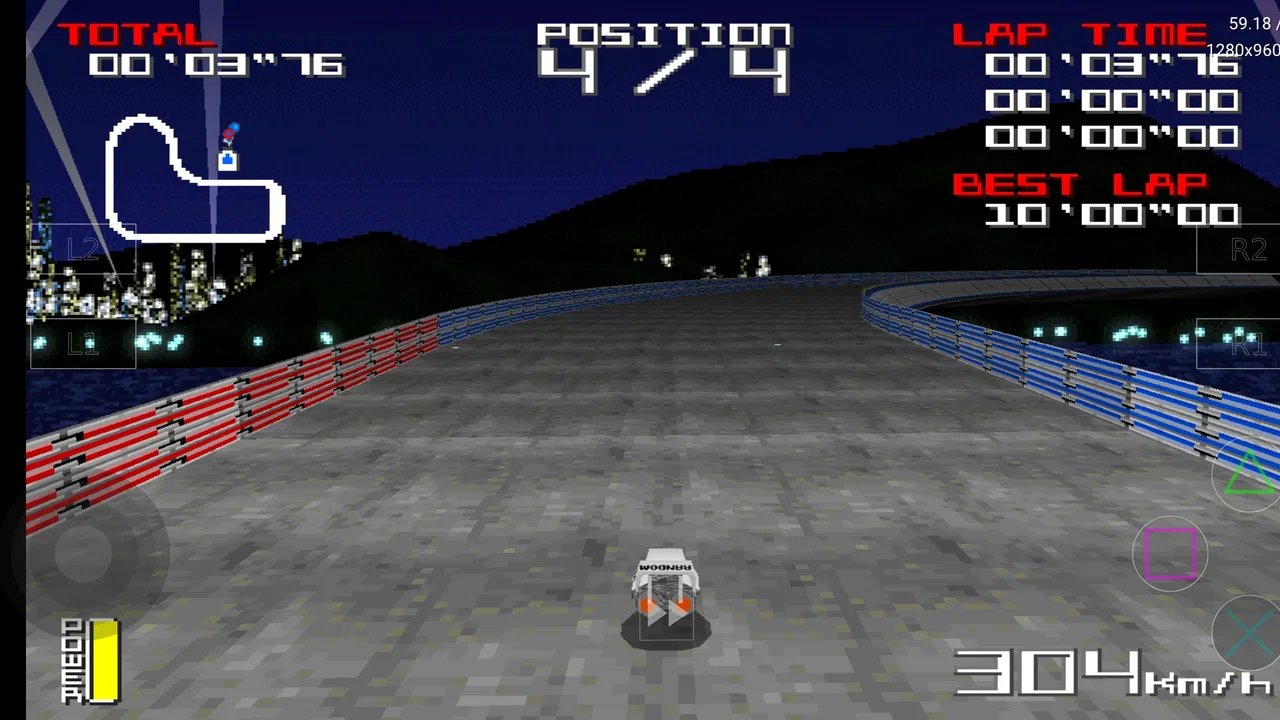
The app’s HD PS1 and PSX emulator identity also creates an expectation that old games will automatically look perfect on a modern display. In practice, sharper output can make menus and polygon edges easier to see, but it cannot transform the original artwork into modern graphics. Some games benefit from a cleaner presentation, while others reveal jagged geometry, texture wobble, or visual quirks that were less obvious on an older television. I prefer treating the visual improvements as a useful enhancement rather than a replacement for the original style.
File preparation is the first real hurdle. DuckStation does not become a complete library simply because it is installed. I need game files obtained from my own collection, enough storage space, and a little patience while I point the app toward the right folders. This is an important difference from a conventional arcade download: the app is the player and organizer, not a storefront filled with games ready to launch.
Once the library is arranged, the experience becomes much smoother. A sensible folder structure saves time later, especially if I keep several versions of a game or separate files for different regions. I also recommend testing one or two games before importing everything. That small step helps reveal whether the device, controller, and chosen settings are working together before the library becomes difficult to troubleshoot.
The first week is also when I discover the difference between a satisfying setup and an overcomplicated one. It is tempting to change every visual option immediately, but I get better results by starting conservatively. I first confirm that a game runs correctly, then make one adjustment at a time. This makes it easier to identify whether a problem comes from the game file, the controller mapping, or a demanding enhancement setting.
Why the novelty can become a habit
DuckStation has an advantage over many short-lived nostalgia apps because its usefulness is tied to a personal library rather than a single novelty feature. If I already own several PlayStation-era games, the app can become a regular way to play them during travel, quiet evenings, or short breaks. A tablet is especially appealing for longer sessions, while a phone is convenient when portability matters more than screen size.
A realistic everyday scenario is a commute or waiting-room session. I can keep a small selection of games available, use a controller when space allows, and continue a title without carrying the original console. That is more valuable than simply launching an old game once for sentimental reasons. The app earns recurring use when it removes enough friction from an activity I already enjoy.
There is also a practical benefit to keeping several different kinds of games available. A slower role-playing game suits a long evening, while a racing or arcade title works better when I have only a few minutes. This variety helps DuckStation avoid becoming a one-game curiosity. The app itself does not create that variety; the value comes from how thoughtfully I build and manage my collection.
Its audience is therefore narrower than the broad Everyone label might suggest. The age classification describes the app’s general suitability, not the content of every game a person may load into it. Parents should still consider the individual titles in a child’s library. Likewise, a person who wants instant access to free games may find the setup confusing or simply prefer a conventional arcade game that starts playing immediately.
The small decisions that improve repeated use
One useful habit is keeping the library deliberately small at first. I find that a carefully chosen group of games encourages actual play, while an enormous unorganized folder creates decision fatigue. Naming files clearly and separating them by system or region makes the app feel more like a maintained collection and less like a storage dump.
Another worthwhile habit is creating a controller profile that matches the physical pad I use most often. This is especially helpful when moving between touchscreen play and a gamepad. The controls that feel acceptable on glass may not be the layout I want on a physical controller, and correcting that early prevents repeated irritation every time I return to the app.
I also avoid judging performance from one demanding game alone. Older hardware may handle one title comfortably and struggle with another, so I test the games I actually intend to play. If a title feels unstable, reducing enhancements is usually more sensible than forcing the device to imitate a high-end setup. The trade-off is straightforward: a slightly simpler picture is preferable to a distracting or inconsistent session.
What keeps it useful, and what creates maintenance work
I find the ongoing work is easiest to manage when I treat the library like a small collection rather than a folder I keep adding to: I test each new game, note the settings that behave well, and leave the rest alone. That routine also makes it clearer whether maintaining the setup is still worthwhile for me. The next question is how that time investment translates into value over the months.
The month-to-month value depends on your library
After the initial excitement, DuckStation’s value becomes less about discovering the emulator and more about returning to specific games. That is a healthy sign. I do not need to open it every day for it to justify its place on my device; I only need it to make certain games easier to revisit than the original hardware would be.
The app is particularly strong for people who enjoy replaying complete campaigns, comparing different games from the same era, or keeping a portable collection for trips. It also suits players who appreciate the history of console design and do not mind that some games require patience during setup. Someone who plays only the occasional retro title may still enjoy it, but the maintenance effort will feel larger relative to the time spent playing.
Its average rating is 4.2 from around 18 thousand ratings, and the app has passed one million installs. Those figures suggest a substantial audience, but they should not be mistaken for a guarantee that every device will deliver the same results. Emulation is unusually sensitive to hardware, operating-system behavior, controller compatibility, and the individual game. I pay more attention to my own device and target library than to popularity alone.
The current version is 0.1-8969-g611bb8fb4. For me, the practical lesson is to keep an eye on how the installed build behaves rather than assuming that every update will change the experience in a dramatic way. A newer build can be welcome, but updating also gives me a reason to retest the games and settings I rely on. I keep notes when I find a stable configuration, which saves time if I later change devices or reset the app.
That maintenance is not necessarily a flaw. Enthusiasts often enjoy the process, and a little organization pays off over months. The problem appears when I want a console-like appliance that never asks me to think about folders, mappings, or compatibility. In that situation, a dedicated modern retro device or an officially supported re-release may be a better fit, even if it offers a smaller selection.
The recurring sources of fatigue
The biggest source of fatigue is not launching a game; it is everything around the launch. Finding the right file, remembering where it is stored, checking controller behavior, and deciding whether a visual setting is worth keeping can turn a quick session into a technical task. I enjoy that work in moderation, but I would not recommend the app to someone who becomes frustrated by basic troubleshooting.
Touchscreen play is another compromise. It makes the app usable without extra hardware, but it does not reproduce the feel of a PlayStation controller. Virtual buttons can obscure the action, and the lack of tactile feedback makes precise play less comfortable. For turn-based or slower games, I can tolerate it. For fast arcade-style action, I would rather use a physical controller or choose a different way to play.
Visual enhancements can also create fatigue when I chase perfection. A sharper image may look impressive in a screenshot but less natural during movement. Some games have artwork that was designed around the softness of older displays, and making every edge crisp can emphasize flaws rather than hide them. My best long-term setup is usually the one that looks clean without making me constantly inspect the picture.
There is a similar trade-off with performance. If I push settings beyond what my phone handles comfortably, occasional stutter or uneven behavior can undermine the very nostalgia I wanted to preserve. I would rather use a stable, modest configuration than spend every session adjusting options. The app rewards restraint more than endless tweaking.
How it compares with the usual alternatives
Compared with a standard arcade game downloaded from an app store, DuckStation requires more preparation but offers a much broader personal history. A normal arcade title is usually easier to start and better suited to a quick, self-contained session. DuckStation is more rewarding when I already have a specific PlayStation game in mind and want continuity with an older library.
Compared with original hardware, the app wins on portability and convenience. I do not need a television, cables, memory cards, or a dedicated console beside me. Original hardware still has an authenticity that emulation cannot completely reproduce, especially in controller feel, display behavior, and the ritual of using the console itself. For collectors and purists, DuckStation is best viewed as a companion rather than a replacement.
Compared with a dedicated retro handheld, the choice depends on priorities. A handheld can offer physical controls and a more focused experience, while an Android phone is already something I carry and can serve several purposes. DuckStation is the better value when I want flexibility and already own a suitable device. A dedicated system is more attractive when I want the least possible setup and a device built around comfortable gaming.
Compared with official re-releases, the app can provide access to a wider personal collection, but official versions generally offer a simpler legal and technical path for the specific titles they include. I would choose an official release when it is available, well supported, and matches what I want to play. I choose DuckStation when portability and access to my own legitimate library matter more than convenience at every step.
Who should install it, and who should skip it
I recommend DuckStation to a player who owns or has legally created access to PlayStation game files, enjoys revisiting older games, and is comfortable spending an evening getting the setup right. It is also a good choice for someone who wants to test whether a phone or tablet can become a practical retro system before buying dedicated hardware.
I would skip it if my main goal were instant arcade entertainment, if I planned to play exclusively with touchscreen controls, or if I had no interest in managing a personal game library. I would also hesitate to rely on it for a long trip until I had tested the exact games, controller, and device I planned to use. A successful setup at home does not automatically mean every part of a portable setup will be equally comfortable.
Because it is free, trying it carries little financial risk, but time is still a cost. The app is worth installing when I expect to return to several games over the coming months. If I only want to sample one title for a few minutes, a simpler alternative may provide a better experience with less preparation.
My long-term verdict
DuckStation earns lasting space on my device when I use it as a maintained library rather than a novelty button. The first week delivers the excitement: familiar games appear on a modern screen, portability changes when and where I can play, and a controller can make the experience feel surprisingly close to the original. The months afterward reveal whether I have chosen games I genuinely want to revisit and whether I am willing to keep the setup tidy.
Stenzek’s app is not frictionless, and that is the central truth to keep in mind. It asks me to bring my own games, test my hardware, and accept that some titles or settings may need individual attention. In return, it offers a flexible way to preserve a personal PlayStation routine without keeping the original console connected. The lasting value comes from reliable access to games I already care about, not from endlessly adjusting the emulator.
For me, that is enough to recommend it. DuckStation is a strong free arcade emulator for Android users who value portability, ownership, and control over their setup. It is less suitable for anyone seeking a polished, instant game service. If I keep the library focused, use a comfortable controller, and resist unnecessary tweaking, it remains useful long after the initial nostalgia fades.
FAQs for DuckStation
01What is DuckStation and what platforms does it support?
DuckStation is a PlayStation 1 emulator designed to faithfully replicate the experience of playing PS1 games on modern devices. It supports both Android and iOS platforms, allowing users to enjoy classic games on their smartphones and tablets with ease. The emulator focuses on performance and accuracy, providing a seamless gaming experience.
02How user-friendly is DuckStation for beginners?
DuckStation is designed with user-friendliness in mind, making it accessible even to those new to emulators. The interface is straightforward, providing easy navigation and configuration. Users can quickly load games, adjust settings, and optimize performance without needing extensive technical knowledge, making it ideal for all skill levels.
03Does DuckStation support enhancements and customizations?
Yes, DuckStation offers a range of enhancements and customizations. Users can upscale graphics, apply texture filtering, and enable widescreen hacks to improve visual quality. Additionally, it provides various audio and controller configuration options, allowing users to tailor the experience to their preferences while maintaining game accuracy.
04Is DuckStation safe and legal to use?
Using DuckStation is legal, but it’s important to own the original copies of the games you wish to play. The emulator itself is a legal tool designed for personal use. However, downloading ROMs from unauthorized sources can be illegal, so users should ensure they’re using their own legally obtained game copies.
05What are the system requirements for running DuckStation?
DuckStation is optimized for performance on a range of devices. For Android, it requires a device running at least Android 5.0 with a mid-range processor for smooth gameplay. iOS users need a device with iOS 12.0 or later. Adequate storage space is also necessary for game files and save states.
Pros
- Smooth performance with minimal lag.
- High compatibility with PS1 games.
- User-friendly interface for easy navigation.
- Supports save states for convenience.
- Customizable graphics settings.
Cons
- Limited controller support options.
- No built-in game downloading feature.
- Occasional crashes on older devices.
- Requires BIOS file for setup.
- Not available on official app stores.

DuckStation
Gallery